
 See Our Latest Article on HelloNation
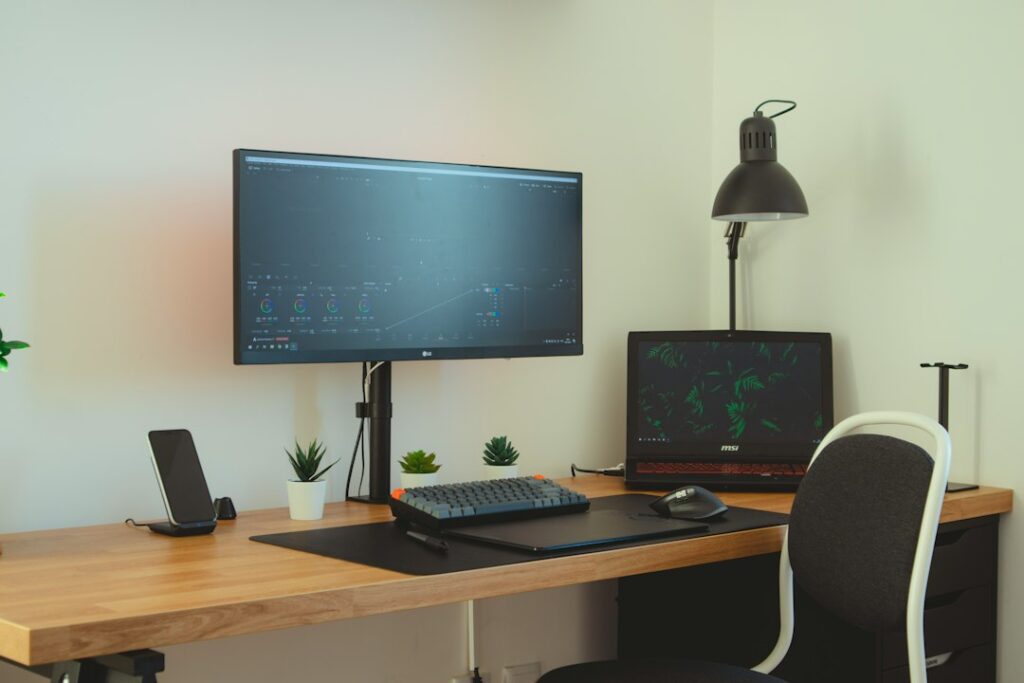
Working from home can make posture problems harder to notice. A kitchen chair, soft couch, laptop screen, or long stretch without movement may gradually increase strain in the neck, shoulders, upper back, and lower back.
For residents of Catskill, NY, improving posture does not require expensive furniture or a perfectly designed office. The most useful changes usually involve arranging the work area more carefully, changing positions throughout the day, and noticing early signs of discomfort before they become persistent.
What does good posture look like while working?
Good working posture keeps the body supported and balanced rather than rigid or forced. The head should rest roughly over the shoulders, the shoulders should remain relaxed, and the spine should keep its natural curves.
A practical seated position includes:
- Feet supported on the floor or on a stable footrest
- Knees positioned close to hip level
- Hips pushed toward the back of the chair
- Lower back supported by the chair or a small rolled towel
- Elbows near the sides of the body
- Forearms supported when possible
- Screen positioned so the head stays mostly upright
- Wrists kept relatively straight while typing
Good posture does not mean holding one exact position all day. Even a well-aligned position can become uncomfortable if it is maintained without movement. Comfort, support, and regular position changes matter more than trying to sit perfectly still.
How should a home workstation be arranged?
The screen, keyboard, chair, and work surface should work together. If one item is too high or too low, the body often compensates by rounding the shoulders, bending the neck, or leaning forward.
For a desktop monitor, place the screen directly in front of the body. The top portion of the display should be near eye level, with the screen close enough to read without leaning forward. The correct height depends on the person’s size and whether glasses are used for computer work.
Laptop users face a common challenge because the screen and keyboard are attached. Raising the laptop to reduce neck bending usually makes the keyboard too high. A separate keyboard and mouse can allow the screen to be elevated while keeping the hands near elbow height.
A dining table or kitchen counter may serve as a temporary workspace, but these surfaces are often too high for comfortable typing. If the chair cannot be adjusted, a cushion may raise the hips slightly, while a footrest can help keep the feet supported. Avoid stacking unstable objects under a chair or monitor.
Is sitting on a couch bad for posture?
A couch is not automatically harmful, but it often encourages positions that are difficult to maintain for several hours. Soft cushions may allow the pelvis to roll backward, causing the lower back to round. Low seating can also place the knees higher than the hips and encourage the head to move forward.
If a couch is the only available option, sit toward the front edge rather than sinking deeply into the cushions. Place a firm pillow behind the lower back, keep the screen raised, and use a separate keyboard if possible. Keep work sessions shorter and change positions more often than when using a supportive chair.
Working from a bed creates similar problems. The body may twist, the neck may remain bent, and the mattress provides inconsistent support. Occasional use is different from spending most of the workday in bed, but a more stable surface is generally easier on the spine.
How often should someone move during the workday?
Frequent movement is more useful than waiting until pain develops. A brief change of position every 20 to 30 minutes can reduce the buildup of stiffness, while a few minutes of walking or gentle movement each hour can help restore circulation and joint motion.
Movement breaks can include:
- Standing during a phone call
- Walking to refill a glass of water
- Performing several shoulder rolls
- Gently turning the head from side to side
- Extending the hips after sitting
- Taking a short walk indoors or outdoors
- Switching between sitting and standing
The goal is not intense exercise during every break. Small, comfortable movements interrupt static loading and give the eyes, muscles, and joints a chance to reset.
Seasonal routines may affect this habit in Catskill. During colder months, people may spend more time indoors and remain seated for longer periods. Keeping a clear walking path inside the home, placing frequently used items farther from the desk, or using brief household tasks as movement breaks can make regular activity easier.
What stretches can help after sitting?
Gentle mobility exercises may ease stiffness, especially when performed regularly and without forcing a range of motion. Stretching should feel mild rather than sharp, burning, or painful.
Useful options include:

- Chest opening: Place the hands behind the body or rest the forearms against a doorway, then gently draw the shoulders back.
- Neck movement: Slowly look left and right, then tilt one ear toward the shoulder without lifting the opposite shoulder.
- Upper-back extension: Sit upright with hands behind the head and gently move the upper back over the chair’s backrest.
- Hip movement: Stand and take a comfortable step backward, keeping the torso upright while gently stretching the front of the hip.
- Calf and ankle motion: Rise onto the toes several times or move the ankles in circles after prolonged sitting.
These movements are not intended to correct every posture problem. They are simple ways to reduce stiffness and maintain comfortable motion. Stop if an exercise increases symptoms or causes numbness, weakness, dizziness, or sharp pain.
Can posture cause neck or back pain?
Poor workstation habits can contribute to discomfort, but pain usually has more than one cause. Sleep position, stress, physical activity, previous injuries, vision problems, and the amount of time spent sitting may all influence symptoms.
A forward head position can increase the workload of the neck and upper-back muscles. Rounded shoulders may limit comfortable breathing and shoulder movement. Slumped sitting can also place prolonged stress on the lower back. These effects tend to build gradually rather than appearing after a single day.
Posture should not be treated as a moral issue or as the only explanation for pain. Some people have noticeable slouching without symptoms, while others develop discomfort despite making careful adjustments. The practical goal is to create a work setup that allows frequent, comfortable movement.
When should work-related pain be evaluated?
Mild stiffness that improves with movement may respond to workstation changes and regular breaks. Symptoms deserve more attention when they persist, worsen, or interfere with sleep, work, walking, lifting, or everyday activities.
Prompt medical evaluation is appropriate for pain accompanied by significant weakness, loss of coordination, progressive numbness, loss of bladder or bowel control, fever, unexplained weight loss, or symptoms following a serious injury. These signs are not typical posture problems.
For recurring discomfort without emergency symptoms, keeping a brief record can be useful. Note when symptoms begin, which activities increase them, whether movement helps, and whether the discomfort affects one or both sides. This information can help a qualified healthcare professional understand the pattern and determine whether further assessment is needed.
What is the simplest posture routine to follow?
Start with three habits: raise the screen, support the feet, and move regularly. Then adjust the chair, keyboard, and work surface so the body does not have to reach forward or hold the shoulders up.
A simple daily routine is:
- Check the workstation at the beginning of the workday.
- Change position at least every 20 to 30 minutes.
- Stand or walk briefly each hour.
- Use gentle neck, shoulder, hip, and upper-back movements.
- Stop working in a position that causes increasing pain or numbness.
- Reassess the setup whenever the work location changes.
Effective posture is less about finding one flawless position and more about creating a supportive environment that makes movement easy throughout the day.
